Automatic Minecraft Server Restarts with World Saving
Why Are Automatic Restarts Needed?
We often receive support requests asking: “How do I set up automatic Minecraft server restarts?” We listen to our clients, and that’s why we’ve prepared this tutorial for you.
Important: Regularly restarting your Minecraft server is necessary to avoid excessive load and RAM overflow.
Step-by-Step Instructions
1. Open the Task Scheduler
Go to the “Schedules” tab in the hosting control panel at panel.qwer-host.xyz and create a new schedule.
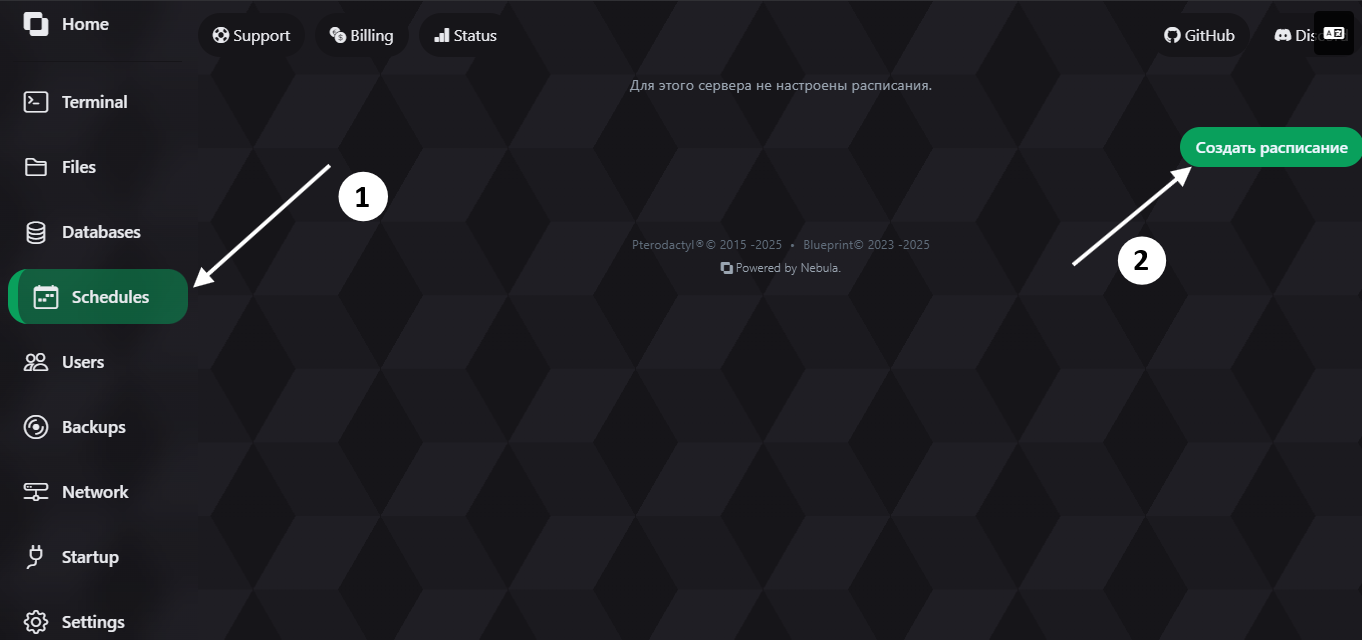
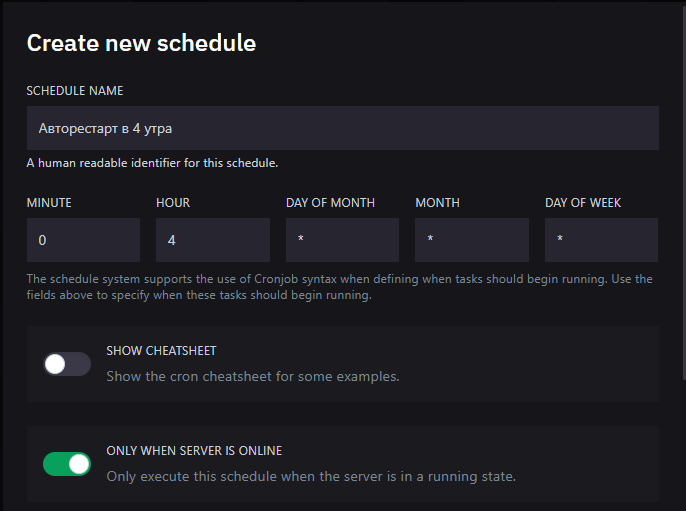
2. Create a Schedule
Choose a name for the schedule and configure the execution time. The schedule in the screenshot below will run at 4:00 AM.
3. Add a Notification Task (Optional)
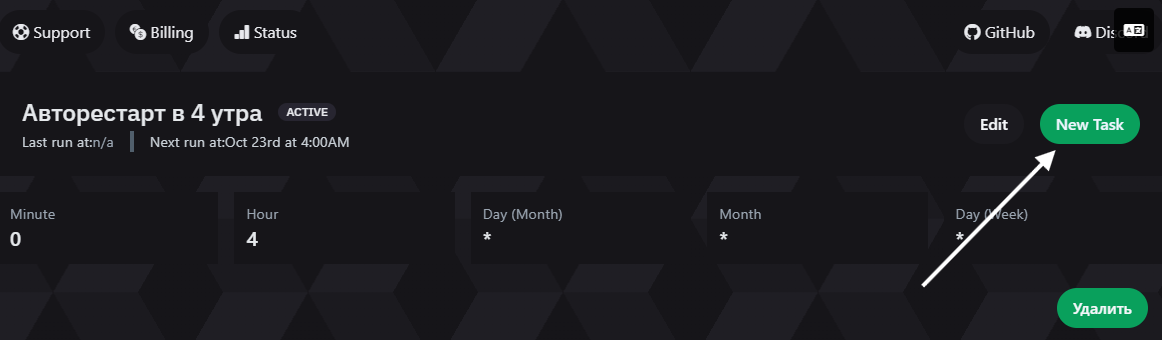
If you want to notify players before the restart, create a notification task.
Click on “New Task”:
Configure the task to send a chat message:
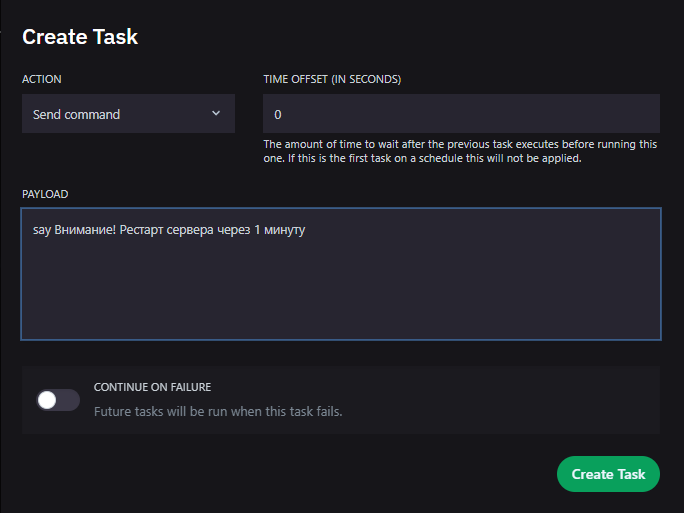
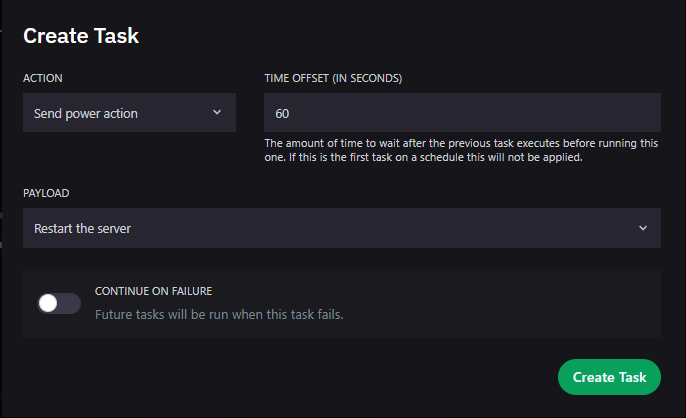
4. Create a Server Restart Task
Create a task for the actual server restart. Select the “Restart Server” action.
5. Done!
Now the server will automatically restart every day at 04:00 (or at the time you configured).
Additional Recommendations
- Choose a restart time when the server has minimal players (usually nighttime hours).
- Use a notification task 5-10 minutes before the restart so players have time to prepare.
- Regular restarts (1-2 times per day) help maintain stable server performance and avoid lag.
If you have questions or issues, contact technical support.