Allowing Offline (Cracked) Clients
Allowing Offline (Cracked) Clients
If you intentionally want to allow cracked/offline clients to connect, follow these steps. Remember: this increases security risks and can let malicious users impersonate admins — follow the steps carefully.
- Open panel.qwer-host.xyz and select your server.
- Go to the “Files” tab and open
server.properties. - Find the line
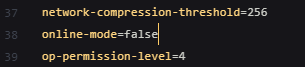
online-mode=trueand change it toonline-mode=false.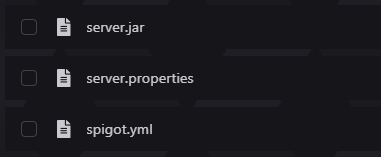
- Save the file.
- Restart the server.
IMPORTANT:
- YOU MUST INSTALL AN AUTHENTICATION PLUGIN (e.g., AuthMe, xAuth or another trusted plugin). Without it, anyone can join with any nickname — including admin names — and perform any actions.
- Use a whitelist and manage permissions via trusted permission plugins (such as LuckPerms).
- Make backups before making changes.
While this setting allows non-premium players to join, we strongly recommend purchasing legitimate licenses for all players and using offline-mode only when absolutely necessary.